 Code Behavior Analysis
Change Frequency / Hotspot Map
Discover the most frequently changed files in your codebase
Change Frequency
When I think about the piece of code that causes the most pain during merges and conflict resolution, the same ones always come to mind.
In particular:
- The Entity Framework Code First snapshot files
- Large localization resource files
There are many others, but these two are the usual suspects in almost every .NET project I've worked on. They tend to attract constant changes, which results in frequent merge conflicts, slower development, and a lot of frustration across the team.
My approach is always the same:
- Stop using Code First for database management and switch to a Database First approach. I know it's extreme, but it's always worked for me.
- Break large localization files into smaller, modular files so different teams can work independently
But unfortunately, there is no silver bullet to fix high-change frequency files. Every situation is unique and requires a different approach.
Why it matters
Change frequency shows how often each file gets modified. Files that change constantly are where your team spends time and energy. High change frequency often signals technical debt. It usually means the code is hard to work with, poorly designed, or sitting at a bad architectural boundary.
These are your risk areas because they touch many features, cause bugs, and slow down development. It also creates merge conflicts and slows down onboarding for new team members.
By identifying the most frequently changed files, you know exactly where to focus your refactoring, testing, and code review efforts. Fix the top 10 hotspots, and you'll improve your entire team's productivity.
Cosmic Analogy
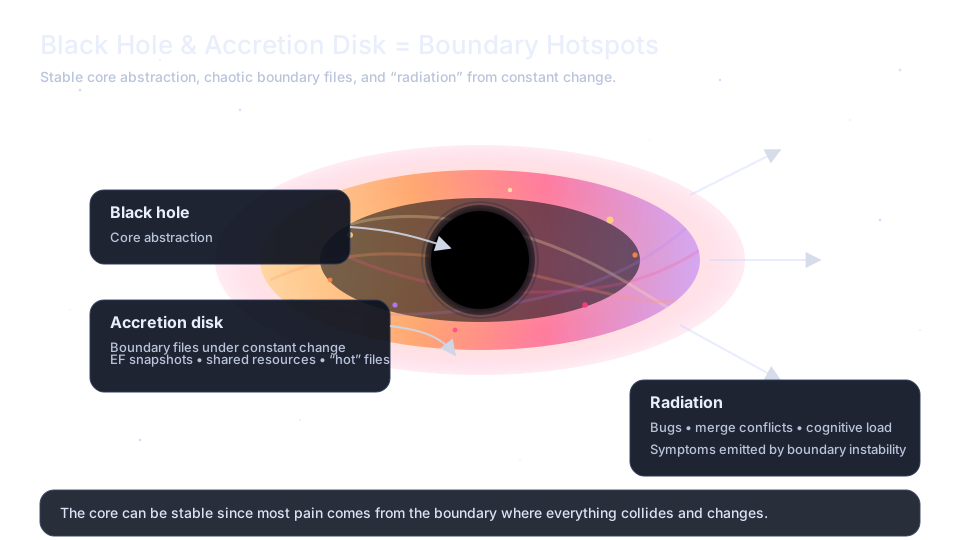
High-change files are like black holes. They pull everything into their gravitational field. The accretion disk around them glows with activity: commits spiral inward constantly, heated by friction as developers collide over merge conflicts. The hottest zones glow purple and magenta, where changes happen so frequently that matter (code) barely has time to cool before being pulled in again.
Cosmic analogy
How to Fix
Structural Improvements
- Break large hotspots into smaller, focused files. A 2,000-line file that changes weekly should become 5 files that change monthly.
- Split large localization or config files by feature/team so parallel work doesn't collide.
- If a file changes because many features depend on it, introduce an abstraction layer to isolate consumers from implementation changes.
Analysis & Understanding
- Review commit patterns: Analyze why the file changes. Is it bug fixes (needs better design), feature additions (needs extension points), or configuration (should be externalized)?
Quality & Governance
- Protect hotspots with tests: Add focused unit and integration tests around high-change files to catch regressions early and refactor with confidence.
- Consider code ownership: Assign clear owners to hotspots who can review all changes and maintain consistency.
Does this actually work?
I've been running this analysis against real repositories in Code Evolution, a personal side project, to see whether the idea actually makes sense in practice. It's still rough and unfinished, and for now it only uses a demo repository, but you can already check it out. I'm planning to open-source it soon.
See this one running